Markdown
Markdown opens as a rendered document, with GitHub-flavoured tables and task lists, frontmatter as properties, and embedded video.
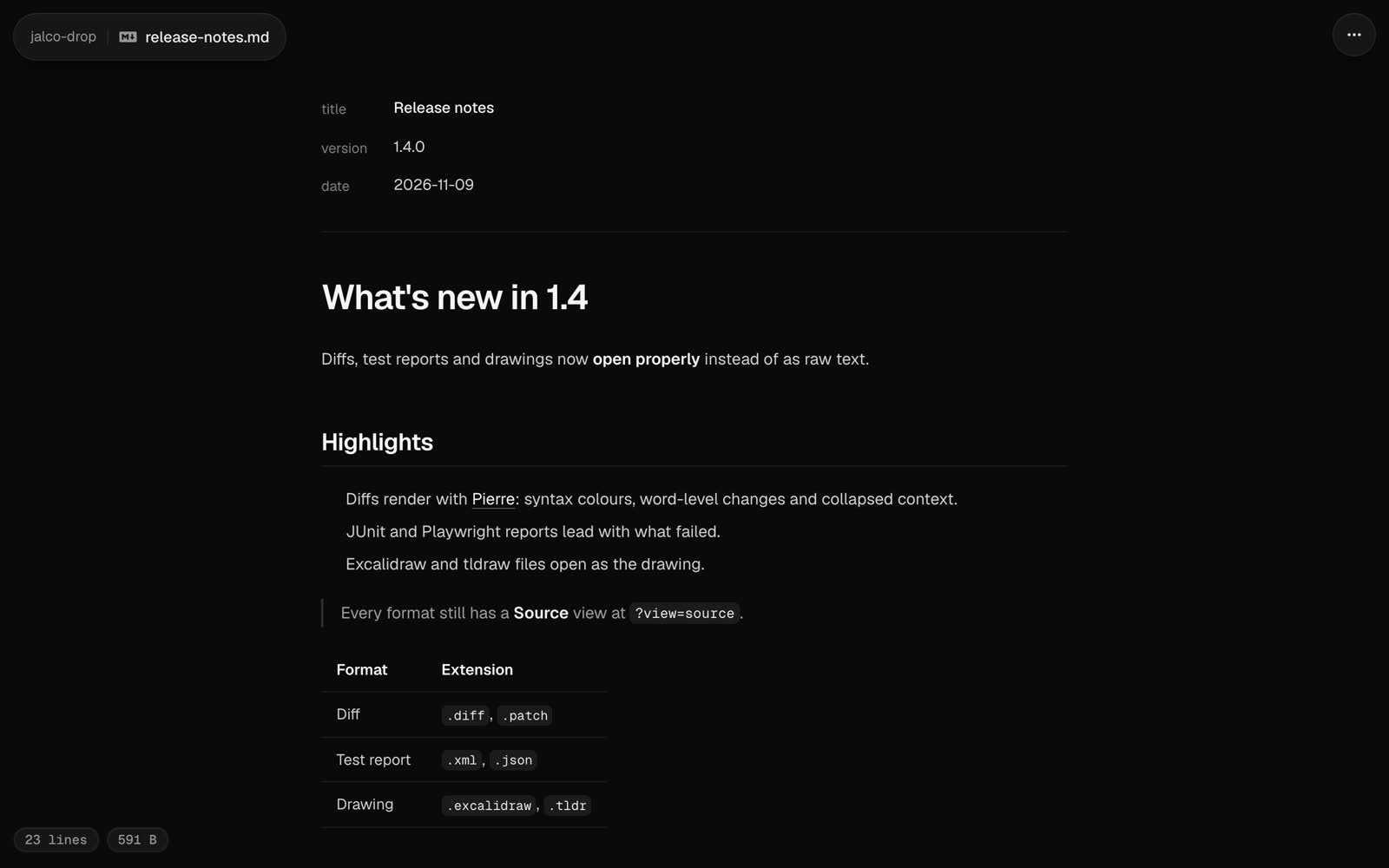
A .md or .markdown file opens as a rendered document. Headings, lists, quotes and links read the way they would on GitHub, and code blocks are highlighted in your code theme.
jalco-drop notes.md
pbpaste | jalco-drop -n notes.md
Piped text needs -n with a .md name. Without one it uploads as paste.txt and opens as plain text.
GitHub-flavoured markdown
These work the way they do in a GitHub README:
| Syntax | Renders as |
|---|---|
| a | b | with a |---|---| row |
A table |
- [x] done and - [ ] todo |
A task list with ticked and empty boxes |
~~old~~ |
Strikethrough |
A bare https:// address |
A link |
A fenced code block with a language, like ```ts |
Highlighted code |
Frontmatter
A YAML block between --- lines at the top of the file shows as a properties list above the document, so a skill’s name and description read as fields rather than as a code block. Frontmatter that isn’t simple key: value pairs shows as highlighted YAML instead.
HTML in markdown
A markdown drop can embed media with HTML, so a video plays in the page:
<video controls src="https://drop.example.com/abc/demo.mp4"></video>To point at a video you’ve already dropped, use its raw link: the drop link followed by / and the file name.
These tags work, with only these attributes:
| Tag | Attributes |
|---|---|
video |
src, poster, controls, muted, loop, playsinline, autoplay, preload, width, height |
audio |
src, controls, muted, loop, autoplay, preload |
source |
src, type |
img |
src, alt, title, width, height |
a |
href, title |
details |
open |
summary, br, kbd, sub, sup |
none |
Links and sources must be http, https, mailto or relative. Any other tag, such as script, iframe or style, shows as text. Other attributes, such as onerror, are removed, and HTML comments are hidden. Video and audio play from your own domain or any https address.
Source and raw
Source in the ... menu, or ?view=source on the link, shows the markdown itself with line numbers. The raw file is at /<slug>/<file name>.
Markdown files over 512 KB open as a download page instead of a preview.