---
title: Markdown
description: Markdown opens as a rendered document, with GitHub-flavoured tables and task lists, frontmatter as properties, and embedded video.
sidebar:
label: Markdown
---
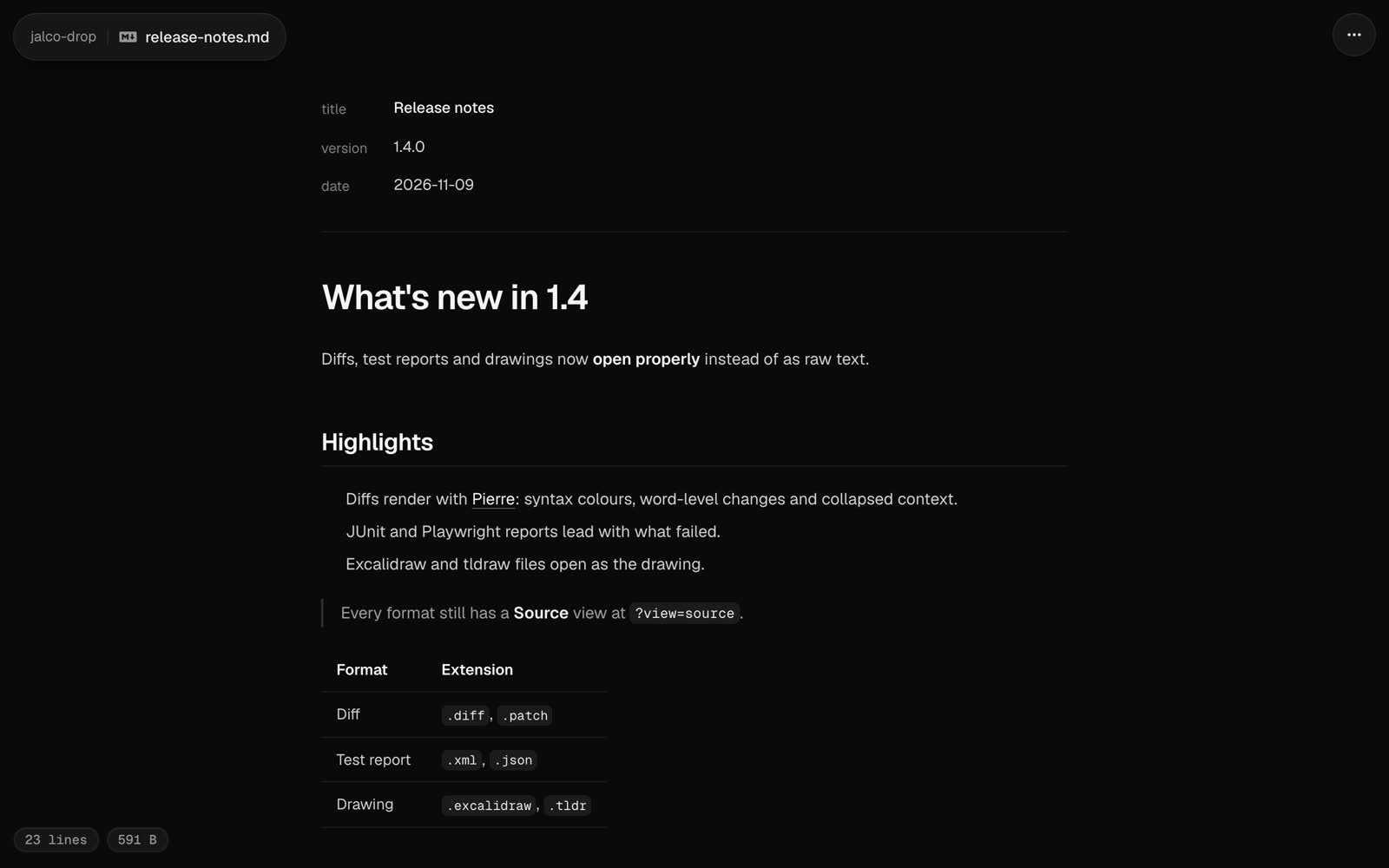 A `.md` or `.markdown` file opens as a rendered document. Headings, lists, quotes and links read the way they would on GitHub, and code blocks are highlighted in your [code theme](/settings).
```bash
jalco-drop notes.md
pbpaste | jalco-drop -n notes.md
```
Piped text needs `-n` with a `.md` name. Without one it uploads as `paste.txt` and opens as plain text.
## GitHub-flavoured markdown
These work the way they do in a GitHub README:
| Syntax | Renders as |
| --- | --- |
| `\| a \| b \|` with a `\|---\|---\|` row | A table |
| `- [x] done` and `- [ ] todo` | A task list with ticked and empty boxes |
| `~~old~~` | Strikethrough |
| A bare `https://` address | A link |
| A fenced code block with a language, like ` ```ts ` | Highlighted code |
## Frontmatter
A YAML block between `---` lines at the top of the file shows as a properties list above the document, so a skill's `name` and `description` read as fields rather than as a code block. Frontmatter that isn't simple `key: value` pairs shows as highlighted YAML instead.
## HTML in markdown
A markdown drop can embed media with HTML, so a video plays in the page:
```html
```
To point at a video you've already dropped, use its raw link: the drop link followed by `/` and the file name.
These tags work, with only these attributes:
| Tag | Attributes |
| --- | --- |
| `video` | `src`, `poster`, `controls`, `muted`, `loop`, `playsinline`, `autoplay`, `preload`, `width`, `height` |
| `audio` | `src`, `controls`, `muted`, `loop`, `autoplay`, `preload` |
| `source` | `src`, `type` |
| `img` | `src`, `alt`, `title`, `width`, `height` |
| `a` | `href`, `title` |
| `details` | `open` |
| `summary`, `br`, `kbd`, `sub`, `sup` | none |
Links and sources must be `http`, `https`, `mailto` or relative. Any other tag, such as `script`, `iframe` or `style`, shows as text. Other attributes, such as `onerror`, are removed, and HTML comments are hidden. Video and audio play from your own domain or any `https` address.
## Source and raw
**Source** in the `...` menu, or `?view=source` on the link, shows the markdown itself with line numbers. The raw file is at `//`.
Markdown files over 512 KB open as a download page instead of a preview.